A new bingo experience that connects the venue and smartphones

Your paper bingo cards
still work.

BINGO LINK lets you keep using paper bingo cards while making the event more enjoyable for participants and staff alike.
It adapts to many kinds of bingo events.
From the draw to staff-side bingo confirmation, the whole flow becomes smoother.

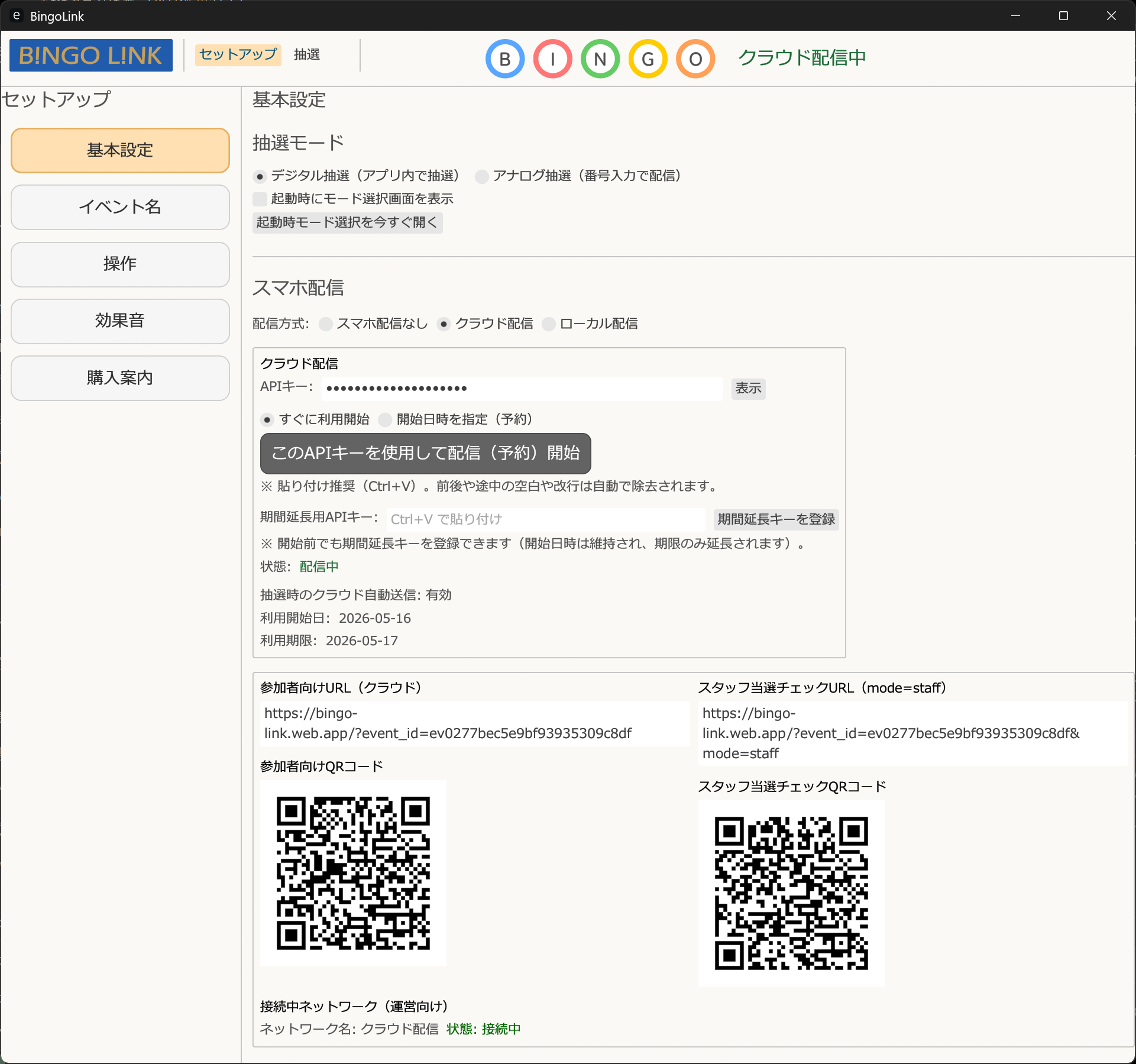
No installation is required. You can quickly preview the draw screen atmosphere and more.


Main Features and How It Works

1. Anyone can join with paper bingo cards

Paper bingo cards are still useful as prize exchange tickets. For children or elderly participants, asking everyone to use a virtual bingo card on a smartphone can be difficult. And bingo is simply more fun when you punch holes in paper cards. That is exactly why BINGO LINK is designed this way.

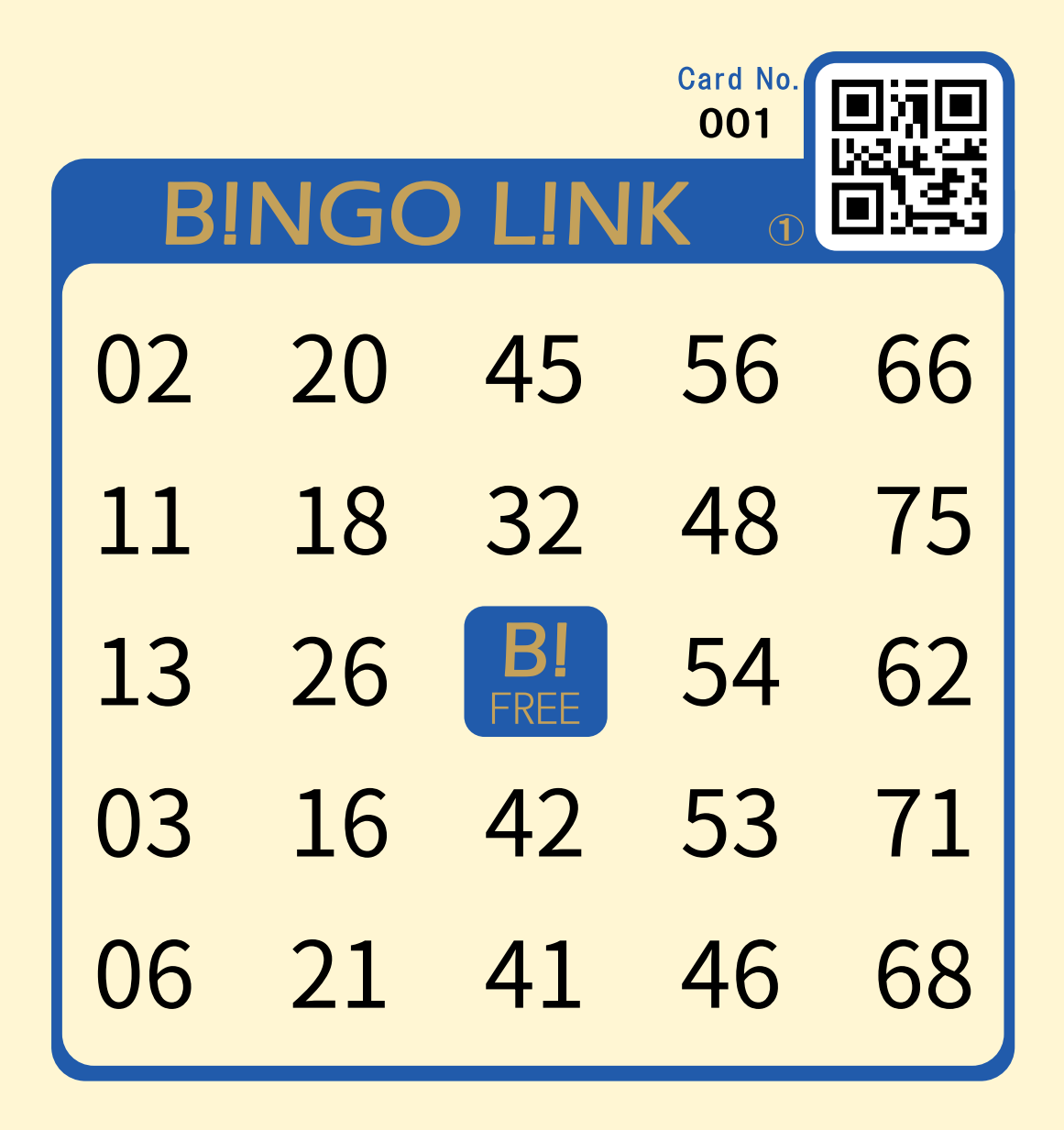
With dedicated paper bingo cards, participants can scan the QR code on their card and load it onto a smartphone. Reach and bingo checks are fully automated, so they can enjoy the event instead of desperately searching for each number.

Of course, the paper cards themselves can still be used normally by punching holes, so bingo remains fun even without a smartphone.

To use the virtual card feature, dedicated BINGO LINK paper bingo cards with QR codes are required.

If you use general retail bingo cards, the number layout differs from the dedicated cards. Participants can still check drawn numbers on their smartphones, but the virtual card feature will not work.

Dedicated bingo card
Dedicated paper bingo card with QR code

2. Smartphone support for both participants and staff

BINGO LINK solves common complaints such as “I cannot see the numbers from far away” and “It takes too long to find each number on my card.” With smartphone delivery in cloud mode, participants simply scan the venue QR code and see the latest draw result on their own device in real time.

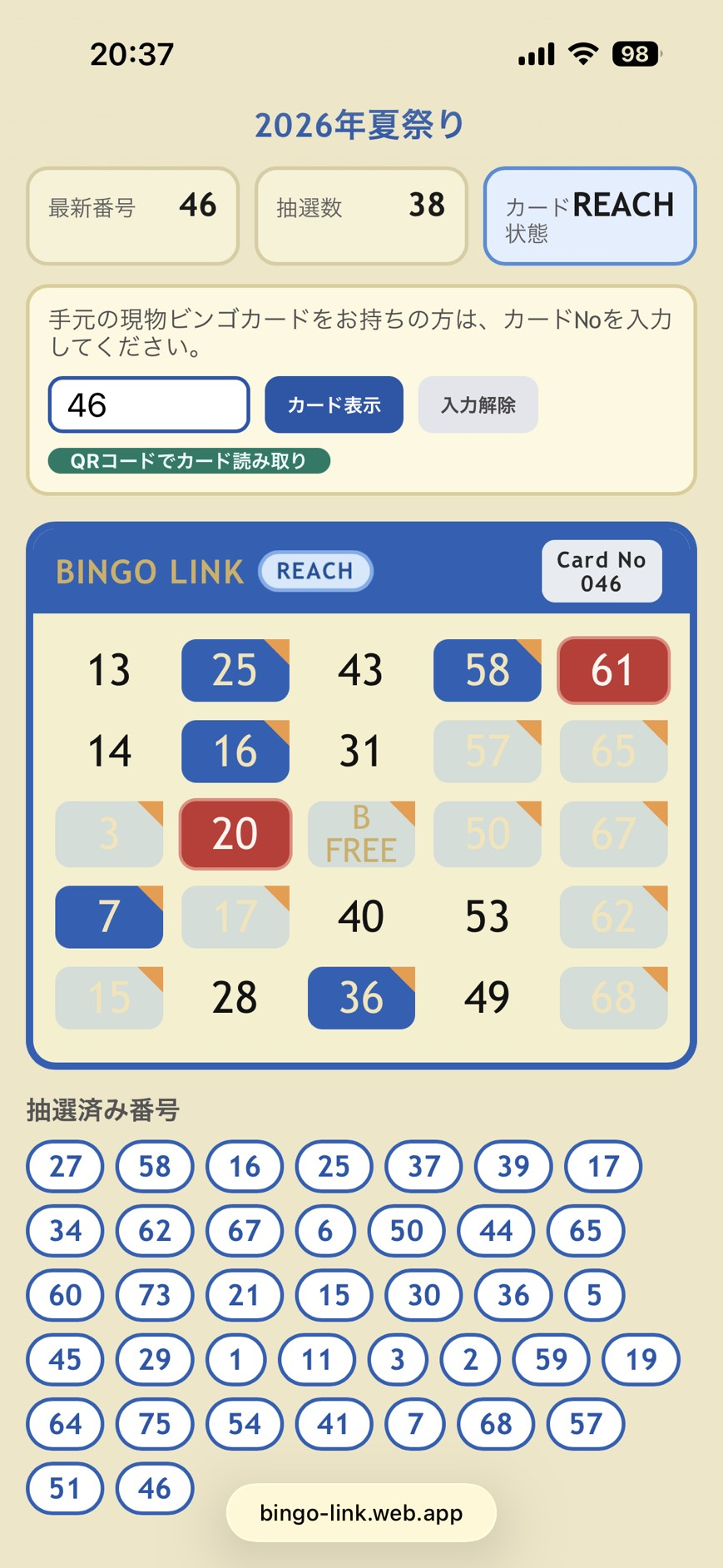
When they also scan the QR code on their paper bingo card, a virtual card is shown on the phone and reach / bingo checks are handled automatically.

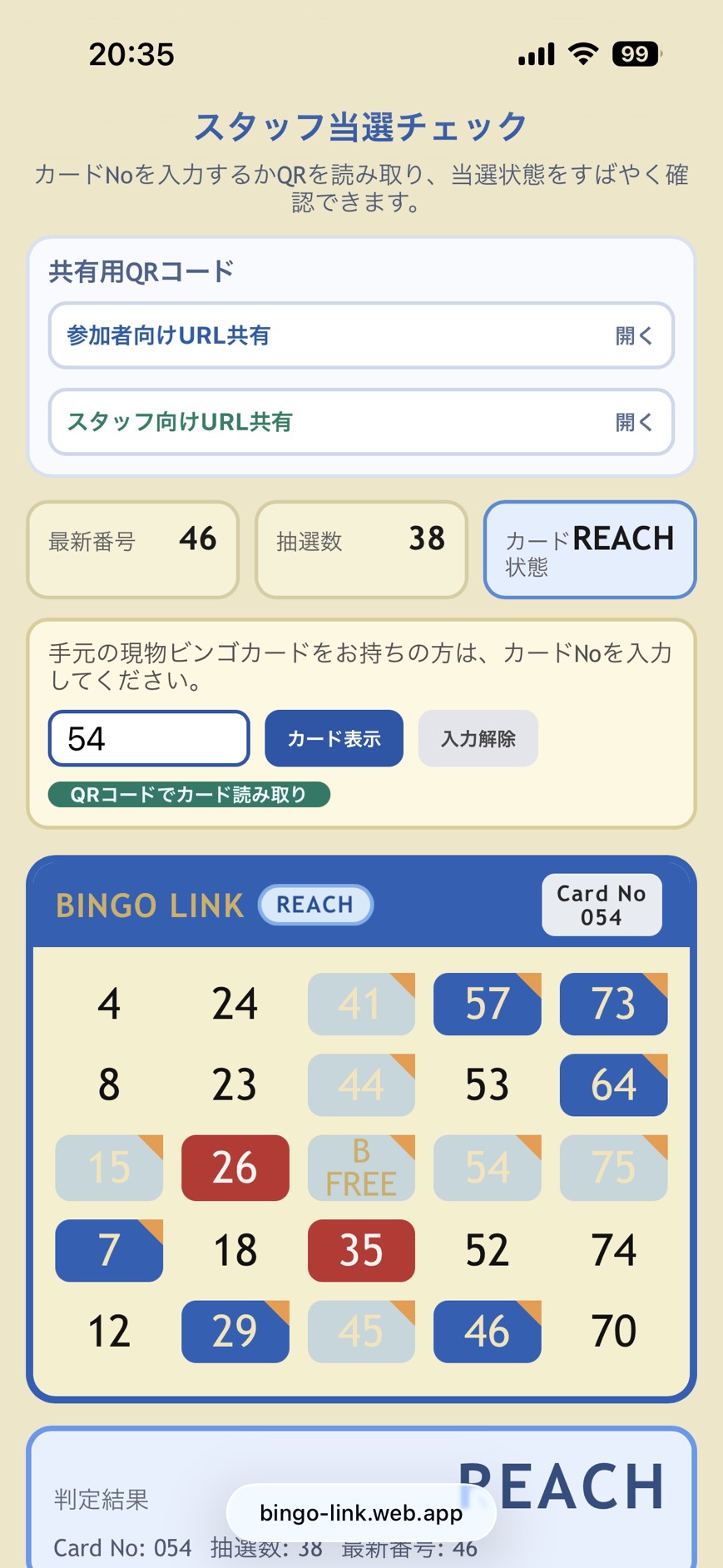
It also solves the staff-side problem of manually checking paper cards. Staff members can scan the QR code on a participant's card and instantly see the bingo status, reducing long prize-claim lines caused by manual verification.

Even if the QR area is damaged and cannot be scanned, staff can still confirm the result instantly by entering the 3-digit card number.

You can even scan a friend's card and check their bingo progress too. Up to 10 cards can be displayed virtually.

Participant smartphone screen
Participants can see their card and draw results on their own smartphones in real time
Staff smartphone screen
Staff can confirm bingo instantly by scanning the card QR code

3. Easy-to-read digital draw screens with sound effects

The digital draw screen is large and easy for everyone to see. Built-in sound effects such as Japanese drums and drum rolls help create excitement and make the event feel more alive.

With multiple displays, projectors, or TVs, the draw becomes easier to see than with a small analog machine.

To set up multiple venue screens, you can use Windows multi-display support or open the board URL on browser-capable devices such as smart TVs or Fire TV Stick devices.

Browser-capable smart TVs and streaming devices are convenient, but older built-in browsers or lower-performance devices may show unstable updates or fullscreen behavior. Please test in advance and consider using a PC or tablet if needed.

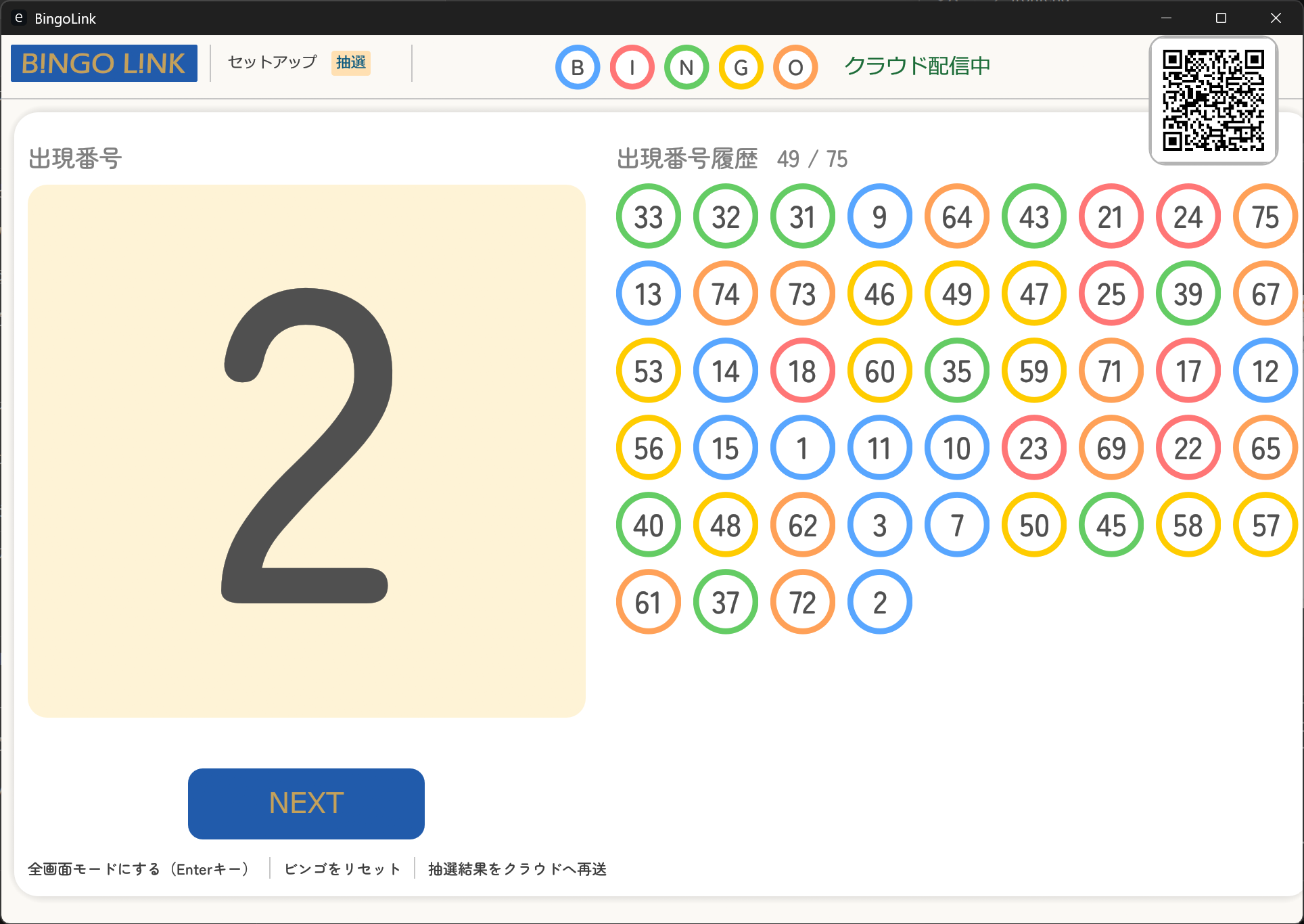
The history of drawn numbers is also shown prominently at all times, so everyone can follow the game more easily.

When smartphone delivery is enabled, the upper-right corner of the draw screen also shows the venue QR code for participants.

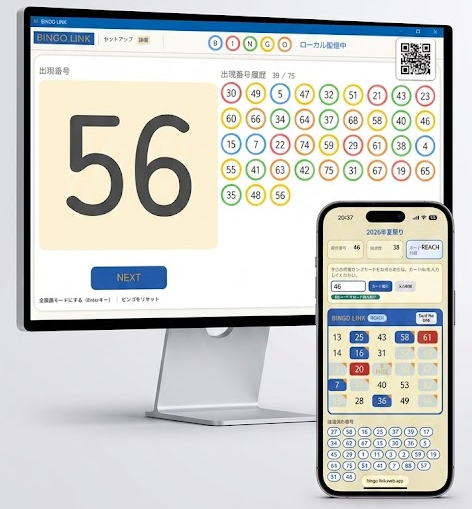
Digital draw screen on Windows
Easy-to-read digital draw for large displays
Settings screen
Sound effect and settings screen

4. Also supports analog bingo machines

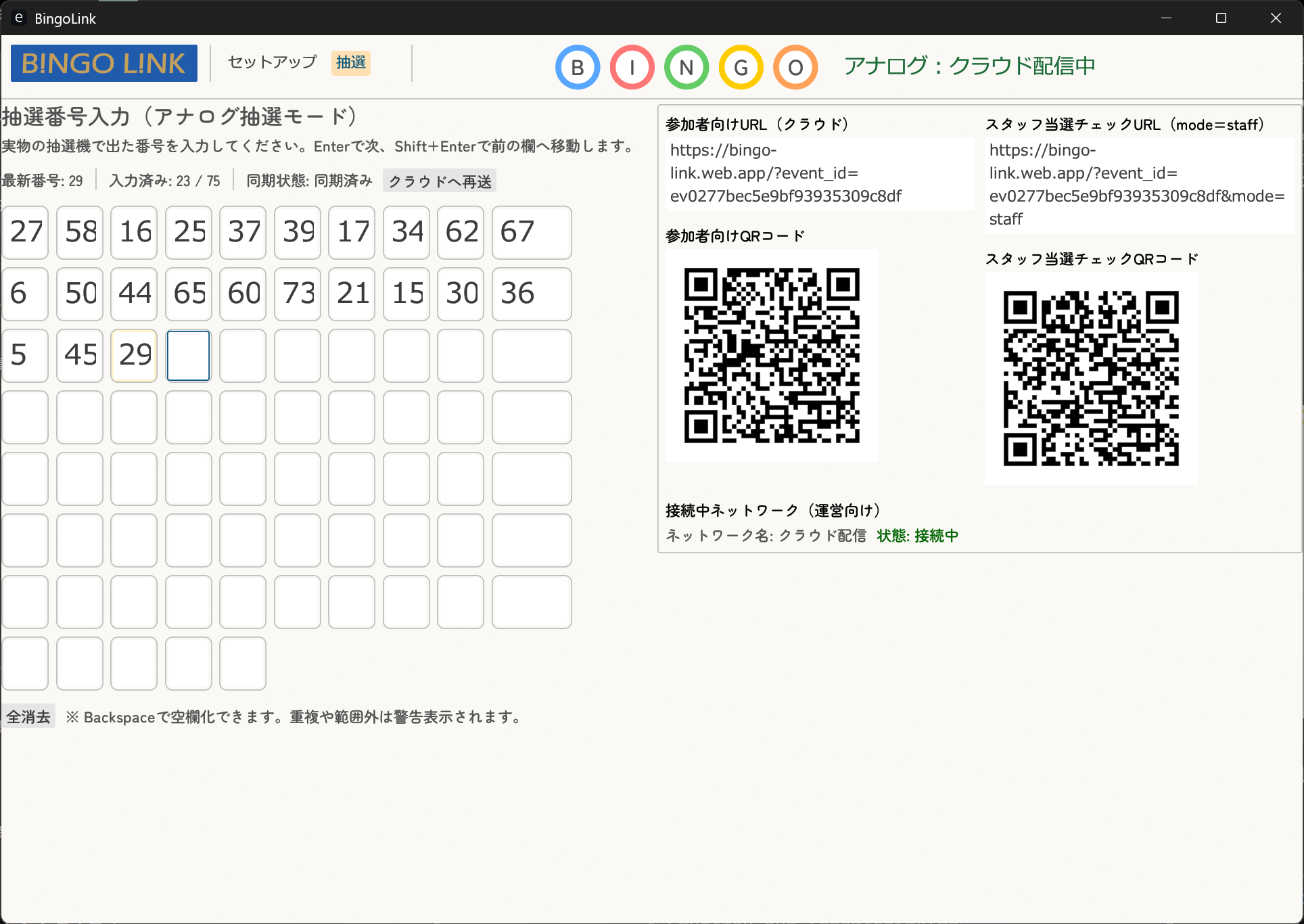
If you prefer a traditional physical bingo machine, BINGO LINK also supports analog operation by entering only the drawn numbers.

Even with an analog machine, participants can check the drawn number on their smartphones and staff can confirm bingo instantly by scanning card QR codes, giving both sides a smoother experience.

If you need to switch between digital and analog modes during an event, all previous draw results remain intact.

Analog draw input screen on Windows
You can switch immediately to analog number input when needed

Downloads

This section lists the card materials planned for BINGO LINK together with their current availability. You can start with the free printable PDF today.

Planned for Summer 2026

Official Bingo Cards

Dedicated BINGO LINK paper bingo cards with QR codes, planned for sale on Amazon Japan. They keep the fun of paper cards, including punch-through numbers, while supporting smartphone linking and instant staff confirmation.

Purchase information will be added here after release.

Coming Soon

Printable Free PDF for Virtual Bingo Cards

A PDF set containing a venue QR code and virtual-card QR codes for virtual-card operation. It is planned to be provided inside the Windows app or browser app.

It will be added to this page when ready.

Coming Soon

QR Code Image Files for Original Bingo Card Designs

QR image assets for creating your own original card designs while keeping BINGO LINK compatibility.

File formats and usage guidance will be published together with the release.

Try it first, then use it live

Here is a recommended flow to fully try BINGO LINK's smartphone-linked features before your real event.

Step 1

Check the atmosphere in the browser version first

Open the browser version from the top button and check the screens, sound effects, and overall feel right away. No installation is required, and the “mobile delivery demo” is also available.

Completely free / No installation
Step 2

Try the Windows version with smartphone linking for free

If you want to test the full draw and smartphone delivery flow, try the free Windows app.

After installing it on a Windows PC, you can use local delivery and actually play within the same network.

Even if you do not have dedicated paper cards, entering a card number from 001 to 999 on a smartphone will show a virtual card, so you can test freely without extra cost.

Because local delivery is not HTTPS, some phones may block camera access due to security rules. In that case, participants can still use manual card number entry.

Cloud delivery uses secure HTTPS communication, so camera access is normally available.

Completely free / Can work offline Get the Windows version from Microsoft Store
Step 3

For production, the browser version is the safer choice

For a live event, the browser version with cloud delivery is recommended because it is better suited for larger numbers of connections and more stable operation.

With cloud delivery, participants can scan the QR code on their paper card and immediately see their virtual card on their smartphone.

If you expect more than 10,000 participants in one event, please contact us in advance.

Cloud delivery / From JPY 800 per event day depending on participant and concurrent connection limits Dedicated paper bingo cards with QR codes are planned for sale on Amazon in summer 2026

Three delivery styles for different environments

Choose the best operating style based on your venue size and network environment.

Cloud delivery (small to large events, online friendly)

Because it uses the internet, participants do not need to join the venue Wi-Fi. They can check results from anywhere in the venue, making it ideal for large events with hundreds of people.

Local delivery (offline friendly)

No internet connection is required. As long as devices are connected to the venue Wi-Fi router or local network, smartphones and the bingo system can work together. This is useful even in places with poor signal or underground venues. Windows app only.

No smartphone delivery (small and simple events)

This simple mode only shows draw results on a screen without participant smartphone integration. Just prepare normal bingo cards and you can start a familiar bingo game right away.

Choose the best fit for your event

For home parties and family events

Without smartphone delivery, you can simply use retail bingo cards and the screen-based draw display for a quick and familiar bingo game.

For local festivals and school events

Staff can use venue Wi-Fi with local delivery. Participants still use paper cards, while staff confirm bingo instantly on smartphones for smoother prize exchange.

For small to large events and online streaming

With cloud delivery over the internet, all participants can enjoy the event together while checking their bingo cards on their smartphones, even from different places.

Plans, pricing, and what you need

Choose from simple free styles to full-scale online operation depending on the features you want to use.

Simple and easy

Screen projection plan
(No smartphone delivery)

Completely free
  • Draw mode: Digital draw
  • Cards: Retail bingo cards

This is the most straightforward style. Use BINGO LINK as a digital draw machine without connecting participant smartphones.

Smartphone fun

Free local plan
(Local / virtual cards)

Completely free
  • Draw mode: Digital / Analog
  • Cards: Virtual cards on participant smartphones

Use the venue Wi-Fi on the same LAN to connect smartphones. No paper cards are required, and participants can play only with their phones.
Because virtual cards can be assigned freely, participants need card numbers in advance.
Windows app only.

Keep the paper-card excitement

Dedicated paper card plan
(Local / dedicated paper cards)

Required Dedicated bingo cards with QR codes
  • Draw mode: Digital / Analog
  • Cards: Dedicated BINGO LINK paper cards

Keep the fun of punching holes in paper cards while staff confirm bingo instantly with the system.
Windows app only within the same LAN.

Online ready

Cloud delivery plan
(Cloud / dedicated paper cards)

Required Dedicated bingo cards with QR codes + Cloud delivery ticket (API key)
  • Draw mode: Digital / Analog
  • Cards: Dedicated BINGO LINK paper cards

Participants can join from anywhere through the internet. Ideal for large events or cases where you need to connect multiple venues.

Important Notes